If you wish, you can mark bookings as not needing an invoice.
This is optional: there's never a need to invoice bookings.
The advantage of marking a booking as 'no invoice' is that it won't appear in the report of bookings that haven't been invoiced. It will also help differentiate between bookings that don't need an invoice, versus bookings that haven't been invoiced yet.
To mark a booking as not needing an invoice, tick the box on a bookings listing and scroll down.

Click on 'No Invoice Needed'. You'll need to confirm this on the next page. You can select multiple bookings as needing no invoice.
On the listings pages, you'll see a 'No Invoice Needed' icon.

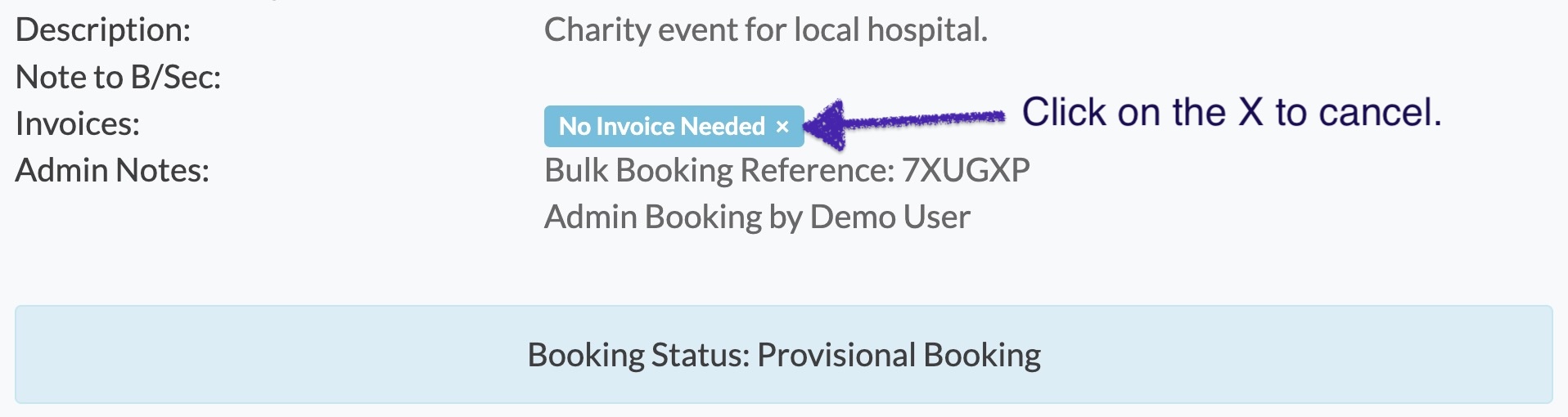
If you need to cancel a 'no invoice needed' flag, there are two options. You can simply issue an invoice, or click on the X by the no invoice notification on the booking review page.
Looking for more help?
Contact us if you need further assistance.