Export Invoices to Xero / QuickBooks
Invoices that you create in Hall Booking Online can be exported to accounting software packages.
For Xero and QuickBooks, head to Settings >> Invoice Settings > Accounting Software Export.
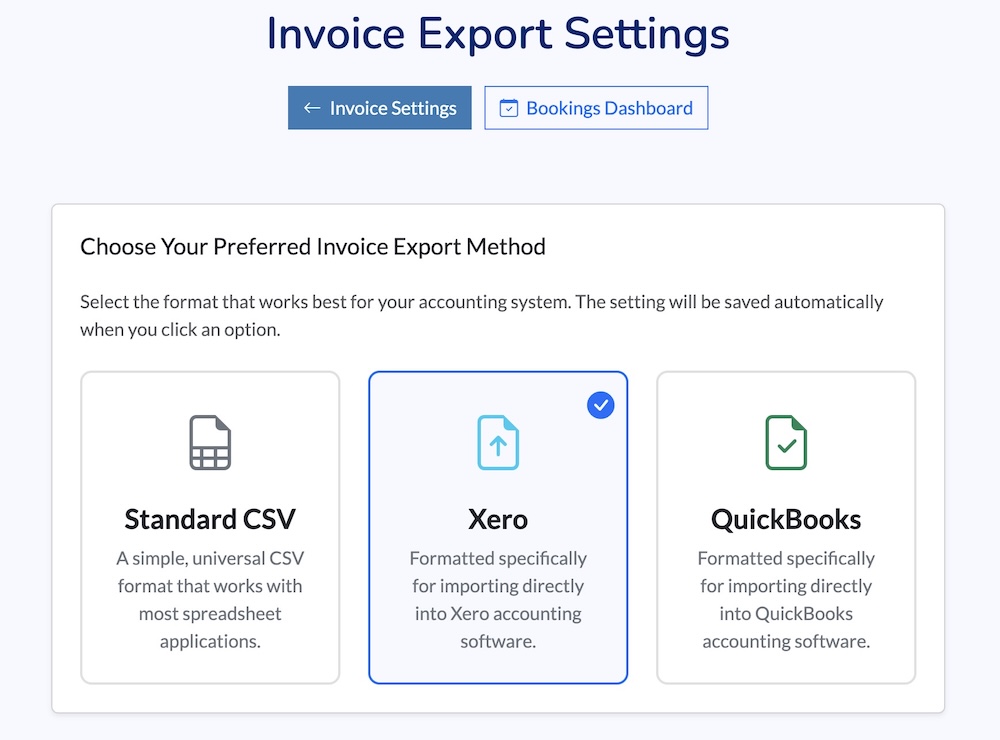
Select the system you would like to use. Standard CSV will create a file that can be understood by almost all software.
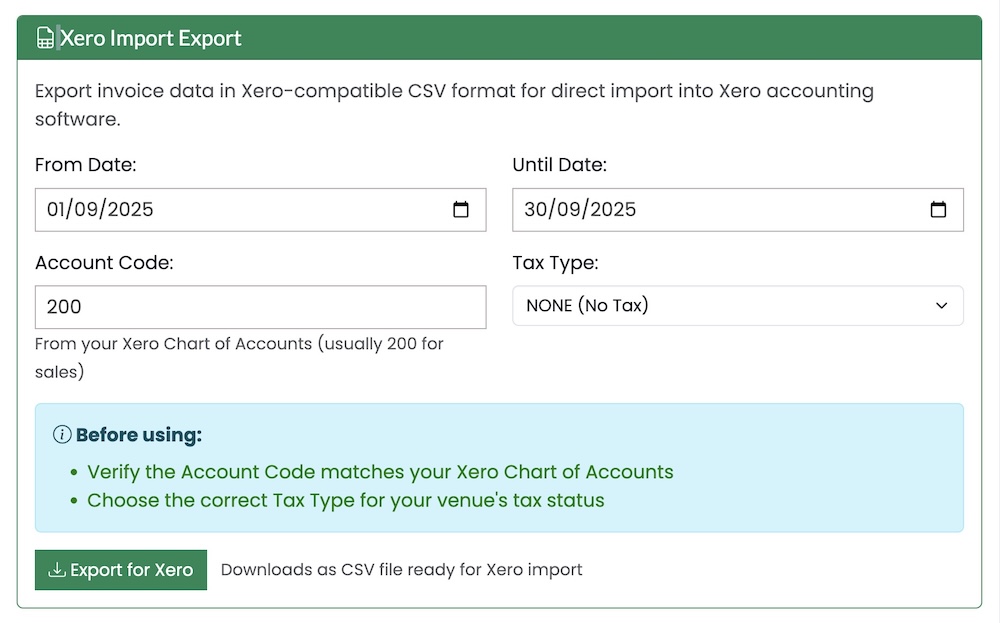
To export the invoice data, head to Reports. If you've chosen Xero or Quickbooks, you'll see the export options under the CSV section.
Looking for more help?
Contact us if you need further assistance.